Lightstick central control at concerts
20 common questions on this topic, answered.
Illustrative image
Q&A
20 questionsCHECKED
Fact-checkedUPDATED
2026-11-2101When should I register my seat on my lightstick?
It is best to register your seat on your lightstick before the concert day. Several official lightstick apps recommend pairing in advance because heavy traffic on show day can cause service problems. Once you have your seat details, finish the registration at home through the app, and on the day just check the power and mode.
02What seat details do I enter in a lightstick app?
Lightstick apps usually ask for the details printed on your ticket, such as the show date, floor, section, row and seat number. The production uses this information to send the right colour and pattern to your spot, so accuracy matters. Standing areas may only need the section, so follow the instructions in the app.
03How do I turn on Bluetooth mode on my lightstick?
How you switch a lightstick to Bluetooth mode depends on the model, but it often means sliding a switch to a set position or holding a button for a few seconds. One official app, for instance, tells users to slide the switch down. Check the manual and the official app for the exact steps for your lightstick.
04Do I need location services on to pair my lightstick?
On some smartphones, you need location services switched on along with Bluetooth for lightstick pairing to work, and some official apps mention this. If the connection fails, first check that you have granted both Bluetooth and location permissions to the app. Then see the app's guidance on whether you can turn them off after pairing.
05What happens if I register the wrong seat on my lightstick?
If you register the wrong seat, your lightstick may glow a different colour from the people around you or fall out of sync with the show. Official guides stress that you should watch from the seat you registered. If you made a mistake, re-enter your seat in the app before the show, or look for an on-site pairing booth for help.
06Is there a lightstick pairing booth at the venue?
Big concerts sometimes run an on-site lightstick pairing booth for fans who have trouble connecting on their own. Not every show has one, though, and the lines can be long. Check the concert notice to see whether a booth is planned and where it is, and register through the app in advance if you can.
07Can I change my lightstick colour during central control?
Once central control starts, your lightstick follows the show's signal, so changing the colour yourself is difficult and best avoided. Manual changes can break up the crowd-wide lighting effect. Which mode to use when central control is off differs by lightstick and show, so follow the official guidance for your concert.
08Do I need to update my lightstick's firmware?
If the official app prompts you to update your lightstick's firmware, do it before the concert. New tour effects are sometimes added through such updates. Make sure the batteries are fresh and the connection stays stable during the update, so it is better to do it at home than at the venue.
09Should I clear old seat info from my lightstick?
Before a new concert, register the new date and seat in the lightstick app. Old show information can leave your lightstick out of sync. If you are attending several dates of the same tour, re-register for each date whenever your seat changes so the stick receives the right signals.
10What batteries should I use for central control?
To enjoy central control effects all the way through, put fresh batteries that match the lightstick's manual into it. Weak batteries can make it switch off mid-show, and some official guides recommend new alkaline batteries. Bring spares if you like, but check the venue's rules on what you can carry in.
11Does my lightstick still work if I turn off my phone during the show?
Whether your phone needs to stay connected after seat registration depends on the lightstick model and the show's system. In many cases the venue's equipment sends signals straight to the lightstick, but follow the official app's guidance to be sure. If there is no guidance, confirm the registration is complete before closing the app.
12What do wireless lightstick effects look like?
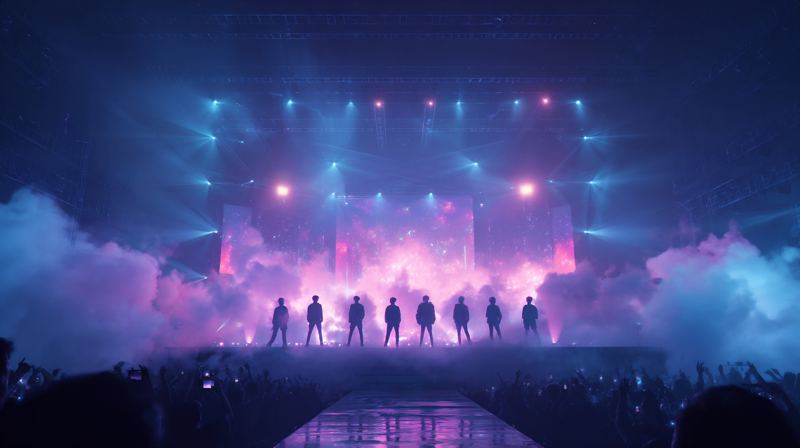
Wireless lightstick effects often light each section in a different colour to form patterns or words across the seats, or send light rolling through the crowd like a wave. Colours shift with the mood of each song and may flash in time with the beat. You may not see the full picture from your seat, but upper levels and concert videos show it well.
13Does lightstick central control work in standing areas?
Central control often works in standing areas too, usually with your section registered rather than a specific seat. Because people move around more, effects there may focus on section colours rather than detailed patterns. The registration method for standing tickets differs by show, so check the lightstick app's instructions.
14Where do I download the official lightstick app?
Official lightstick apps are available on the App Store and Google Play; search for the group name and the lightstick's name. Look-alike unofficial apps exist, so check that the developer is the agency or its official manufacturer. Using the app linked from the manual, the box's QR code or an official notice is the safest choice.
15Does central control work at overseas tour stops?
Many overseas tour stops also use lightstick central control, though it can depend on the venue. Seat labels abroad may be formatted differently, so the fields you enter in the app can change. Check the official notice and app guidance for that city's show, and register before you arrive if possible.
16What if my lightstick just blinks and doesn't follow the show?
If your lightstick just blinks and does not follow the show, the seat registration may be incomplete or it may not be in performance mode. Check the power and mode switch, then review the registration status in the app. If that does not help, ask at an on-site booth or staff before the show, and avoid disturbing others once it starts.
17What happens to my lightstick settings after the show?
After the show, you can usually switch your lightstick back to normal mode and register a new seat for the next concert. Some models stay in performance mode, so check the reset steps in the manual. If you will not use it for a while, take out the batteries to prevent leaks that could damage it.
18Why do concerts use wireless lightstick effects?
Concerts use wireless lightstick effects to turn the whole audience into one giant lighting display, so artists and fans complete the show together. Colours and movements change with each song, which makes the experience more immersive and creates striking scenes for concert videos. For fans, it feels like taking part in the show itself.
19Can I join the light show without a lightstick?
Wireless light shows are built around the official lightstick, so you cannot take part in the same way without one. You can still fully enjoy the concert by clapping and joining the fan chants. Whether there is a moment to use phone flashlights instead depends on the show, so follow the on-site guidance.
20Will a second-hand lightstick work with central control?
A second-hand lightstick usually works with central control if it is genuine and in good condition. Some versions may not be supported at newer shows, though, so check the concert notice for compatible versions. Fakes may fail to pair, so look carefully for authenticity marks and check the seller's details before buying.
Compiled by the KOREA WAVE NEWS editors. Schedules, fees and rules change, so check official notices.